Creating your Moneybird API token
Moneybird uses a single API token rather than a key pair. That token lets Schakel create invoices in your administration. You create it under Settings, and you get to see it exactly once.
What you end up withAt the end you hold one thing: an API token that lets Schakel invoice in your administration. Which administration you pick inside Schakel.
- 01
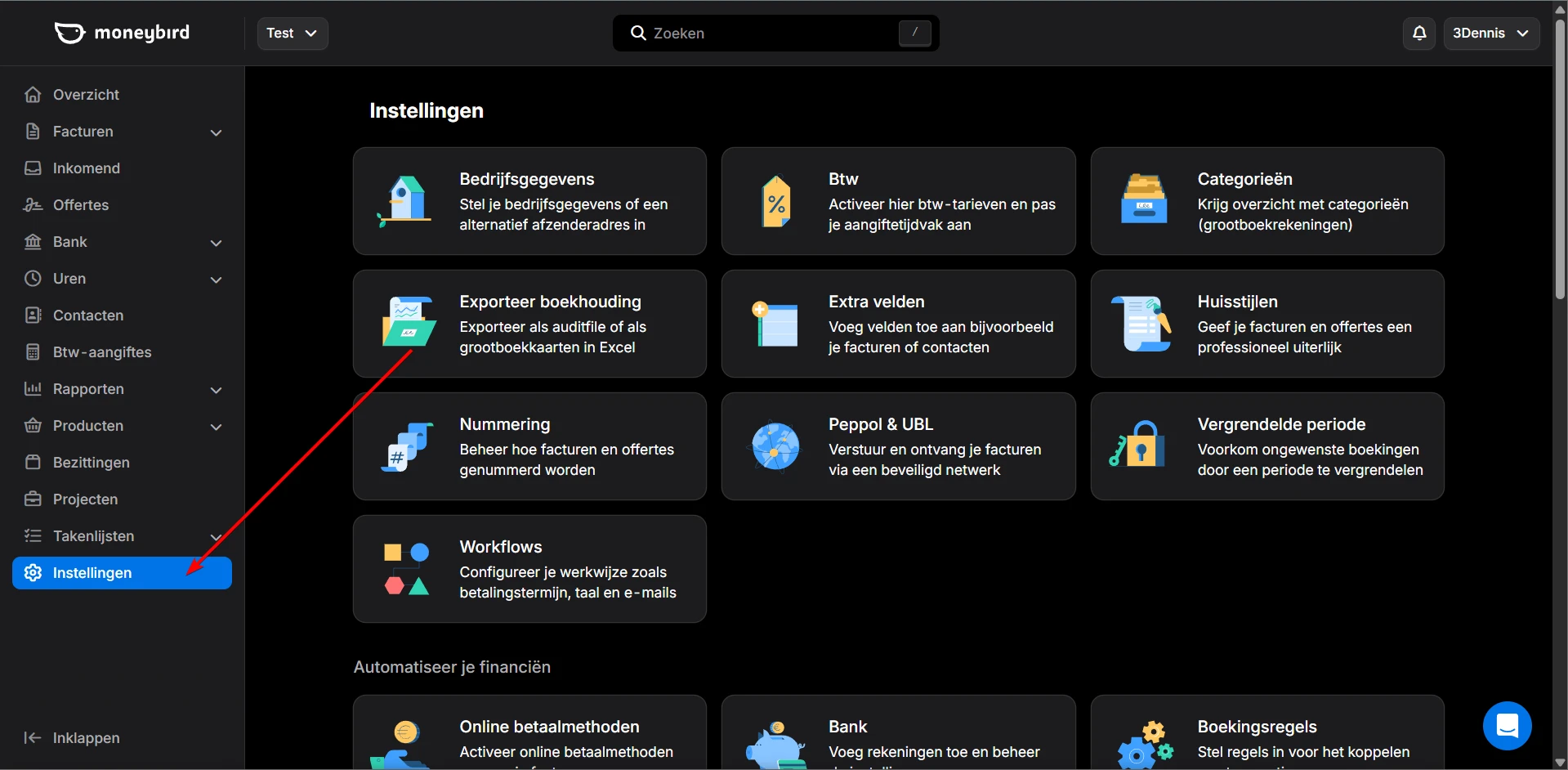
Go to Settings
Log in to your Moneybird account and click Instellingen (Settings) in the left sidebar.
- 02
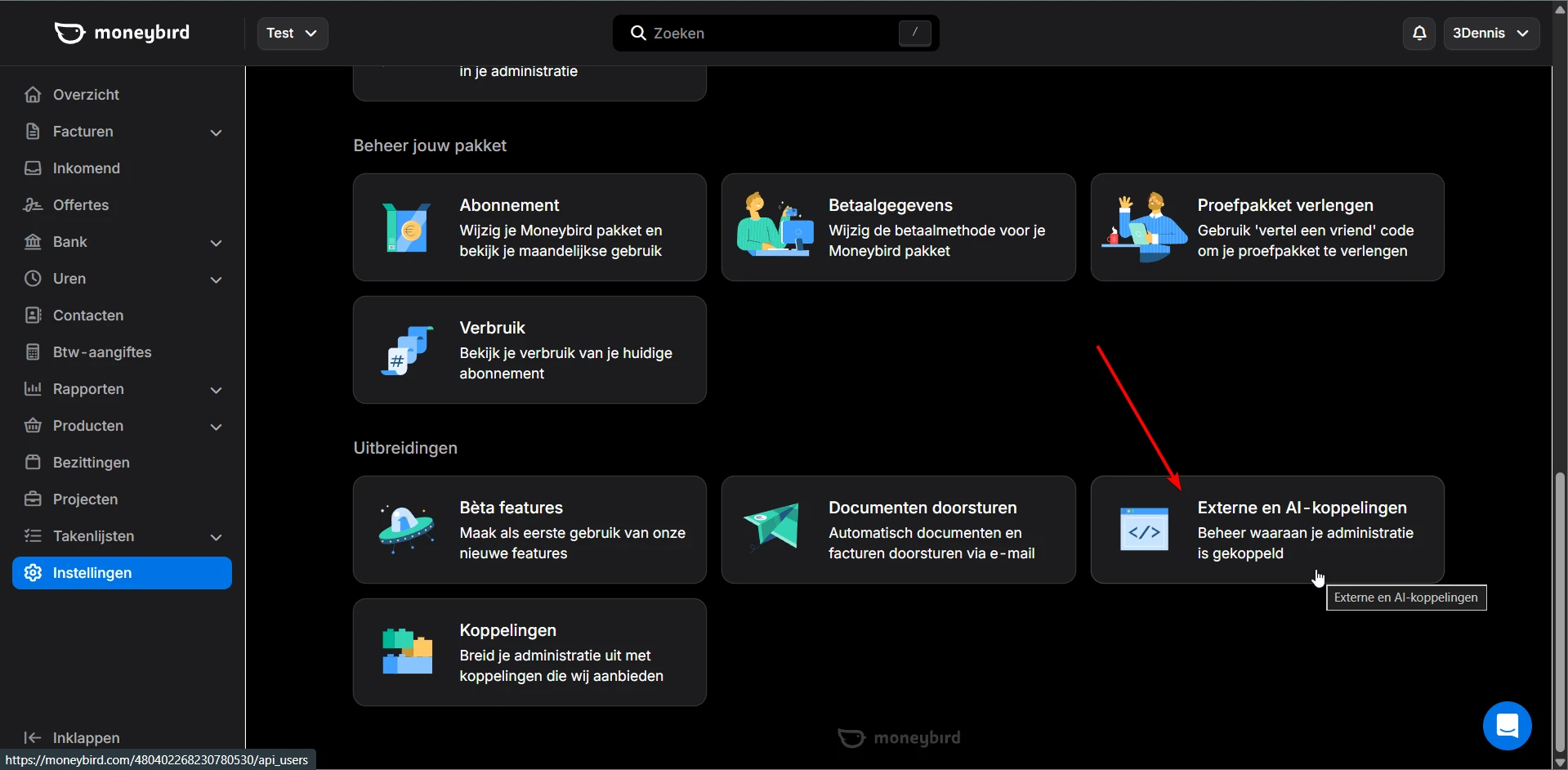
Click External and AI integrations
Scroll down on the settings page. Under the Uitbreidingen (Extensions) heading you will find Externe en AI-koppelingen (External and AI integrations). Click it.
- 03
Click Create API token
Click the API token aanmaken (Create API token) button to make a new token.
- 04
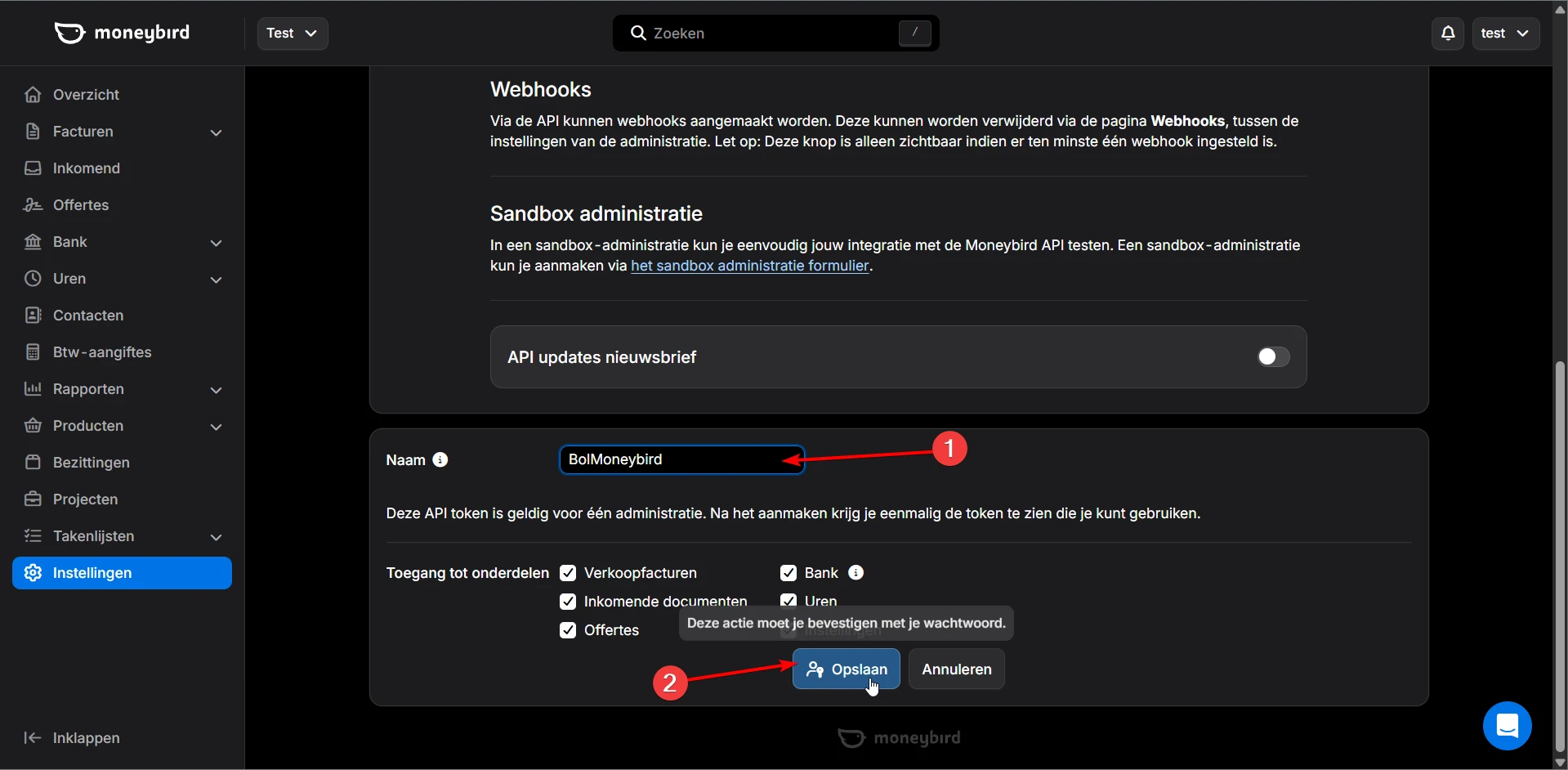
Name the token and save
Enter a recognisable name in the Naam (Name) field, for example Schakel. Leave every access permission ticked and click Opslaan (Save).
- 05
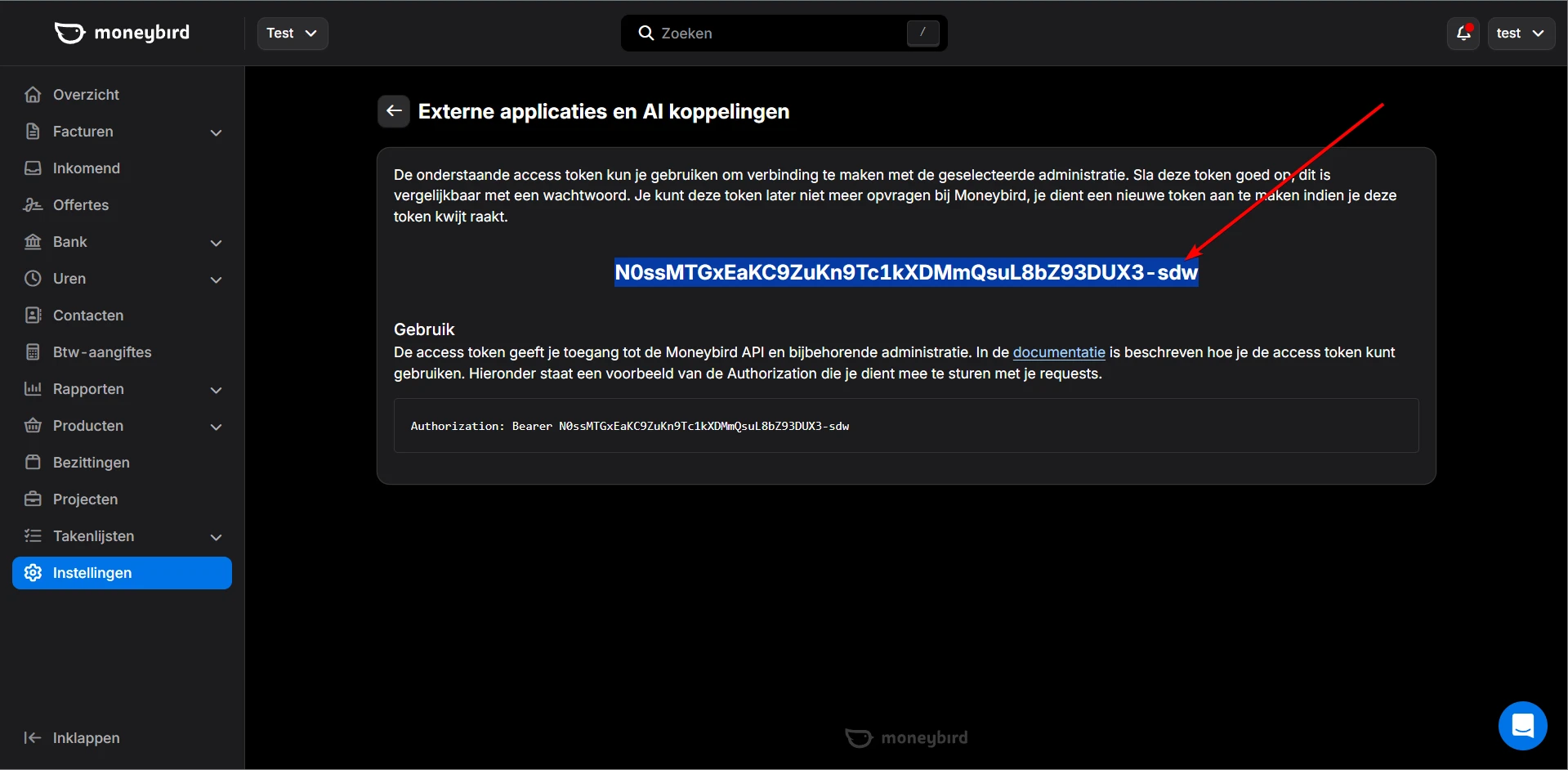
Copy your API token
Your API token appears once it has been created. Copy it straight away, because it is shown only once. If you lose it, create a new token.
- 06
Enter the token in Schakel
Paste the token into Schakel under Connections. Schakel fetches your administration(s) for you: if you have more than one, you pick from a list. No administration ID to look up. The connection is tested right away, and once it shows green Schakel can create invoices in the administration you picked.
Worth knowing
- Several administrations under one token? Schakel lets you pick which one the invoices land in. Choose the administration where you want your sales booked.
- You can revoke a token on the same page. The connector stops immediately, so create the replacement first if you only mean to rotate it.
If something goes wrong
- Schakel does not accept the token.
- The token is shown only once. If you clicked away from the page you cannot see it again: create a new token and copy it straight away.
- The connection is up, but no invoices are created.
- The token has to keep every access permission ticked. With permissions switched off Schakel can read but not create invoices. Create a new token with everything ticked.
- Invoices land in the wrong administration.
- One token can hold several administrations. In Schakel you pick which one under Connections; set the choice to the administration where you book your sales.
Connectors that use your Moneybird access
Once you hold the keys, this is where they go. Every connector below talks to Moneybird.
Stuck on a step?
Screens move around. If what you see does not match the screenshots, message us and we will look at it with you, and fix the page.