Creating your e-Boekhouden API token
In e-Boekhouden.nl you create one API token and paste it into Schakel. The token belongs to exactly one administration, so there is nothing left to choose afterwards. It takes about a minute.
What you end up withAn API token from your own e-Boekhouden administration, entered in Schakel.
- 01
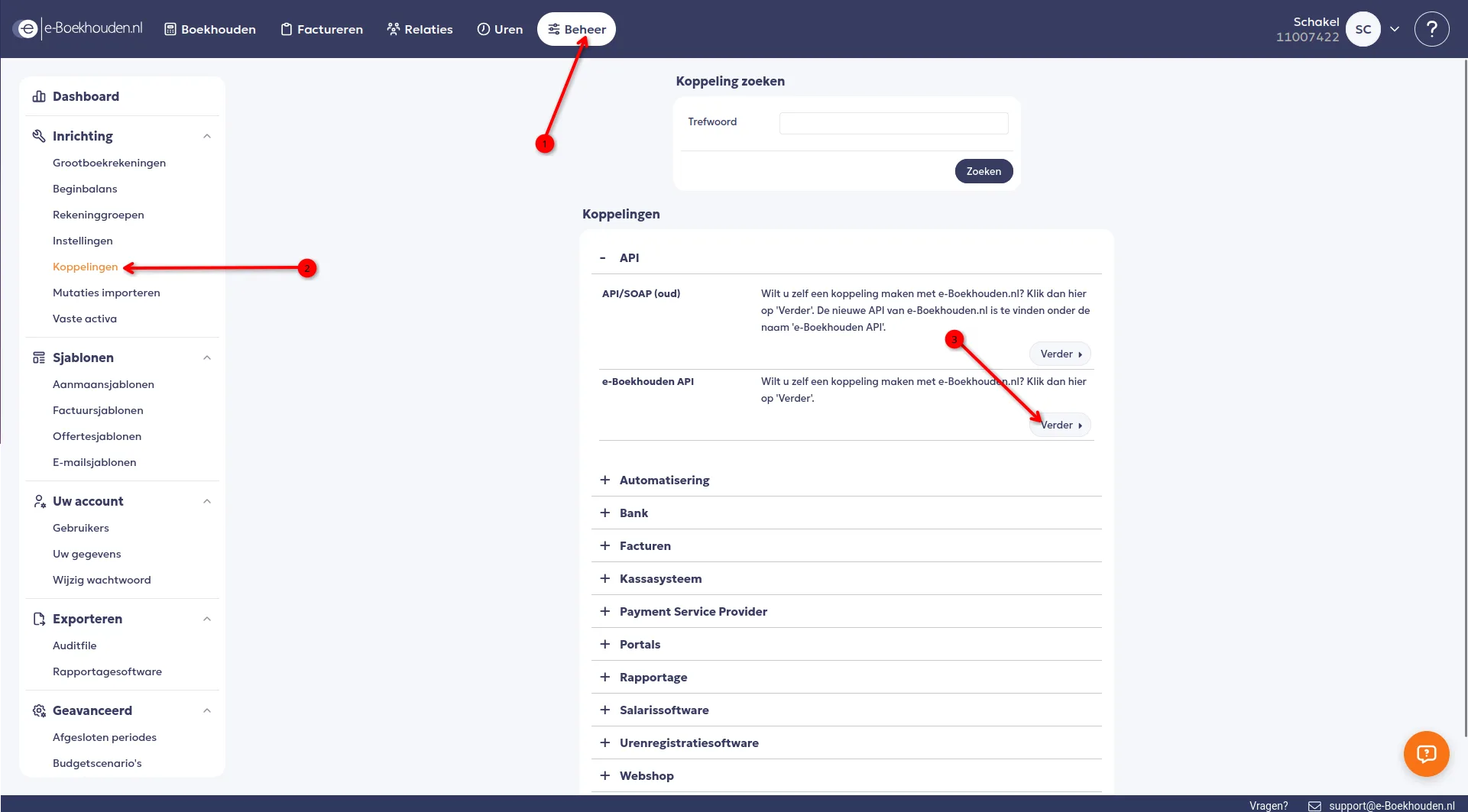
Go to Beheer, Koppelingen
Log in to e-Boekhouden.nl and click Beheer at the top. Then in the left column, under Inrichting, click Koppelingen.
- 02
Open the e-Boekhouden API
Under the API heading there are two rows. Pick the lower one, e-Boekhouden API, and click Verder. Be careful not to pick the top one: API/SOAP (oud) is the legacy integration and Schakel does not work with it.
- 03
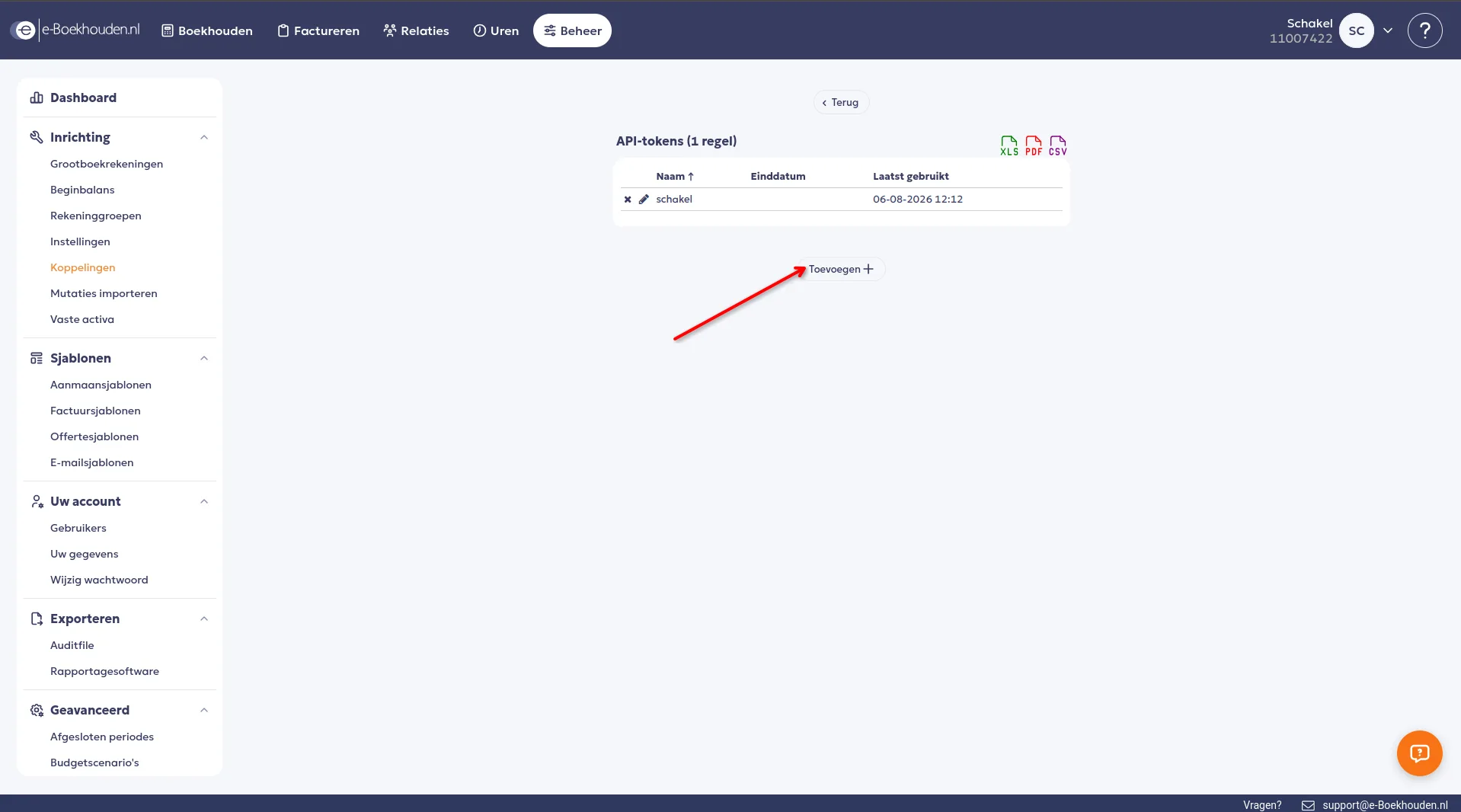
Add a token
You now see your list of API tokens. Click Toevoegen.
- 04
Name it Schakel and copy the token
Give the token the name Schakel, so you know later what it belongs to. Then copy the token and click Opslaan. Paste the token into Schakel on the Connections page. Schakel tests it right away and shows which administration it belongs to.
Worth knowing
- The token belongs to one administration. If you run several administrations, create a separate token for each.
- You can set an end date on the token. If you do, set yourself a reminder: after that date the connector stops posting.
- After connecting, Schakel does not pick ledger accounts for you. e-Boekhouden wants to know which account every invoice line belongs to, so that step sits in the connector settings.
If something goes wrong
- Schakel says the token does not work.
- The token is shown only once, so a half-copied token is the usual cause. Create a new token and paste it again. Also check that you created it under e-Boekhouden API and not under API/SOAP (oud).
- No invoices are being posted.
- The ledger accounts are probably not set yet. Without a revenue account, a debtors account and an invoice template, e-Boekhouden refuses every invoice. You find them in the connector settings.
Connectors that use your e-Boekhouden.nl access
Once you hold the keys, this is where they go. Every connector below talks to e-Boekhouden.nl.
Stuck on a step?
Screens move around. If what you see does not match the screenshots, message us and we will look at it with you, and fix the page.