WooCommerce powers over 37% of all online stores worldwide. If you run a WooCommerce webshop and sell on Bol.com at the same time, you probably know the pain: two separate dashboards, manual inventory updates, and the constant risk of overselling. In 2026, that approach simply doesn’t scale anymore.
This guide explains how Schakel connects WooCommerce and Bol.com, so you can manage everything from one place.
Why WooCommerce Sellers Choose Bol.com
Bol.com reaches millions of active buyers in the Netherlands and Belgium. For WooCommerce sellers, listing products on Bol.com is a logical next step: it brings traffic you don’t have to generate yourself. But it comes with a catch.
Every Bol.com order has to be processed manually if your two systems don’t talk to each other. That means:
- Updating stock in WooCommerce after every Bol.com sale
- Copying shipping data between platforms
- Risk of selling the same item twice when stock runs out on one channel
For sellers moving more than 20 orders per week, manual work like this is not just slow: it’s a liability.
How Schakel Bridges the Gap
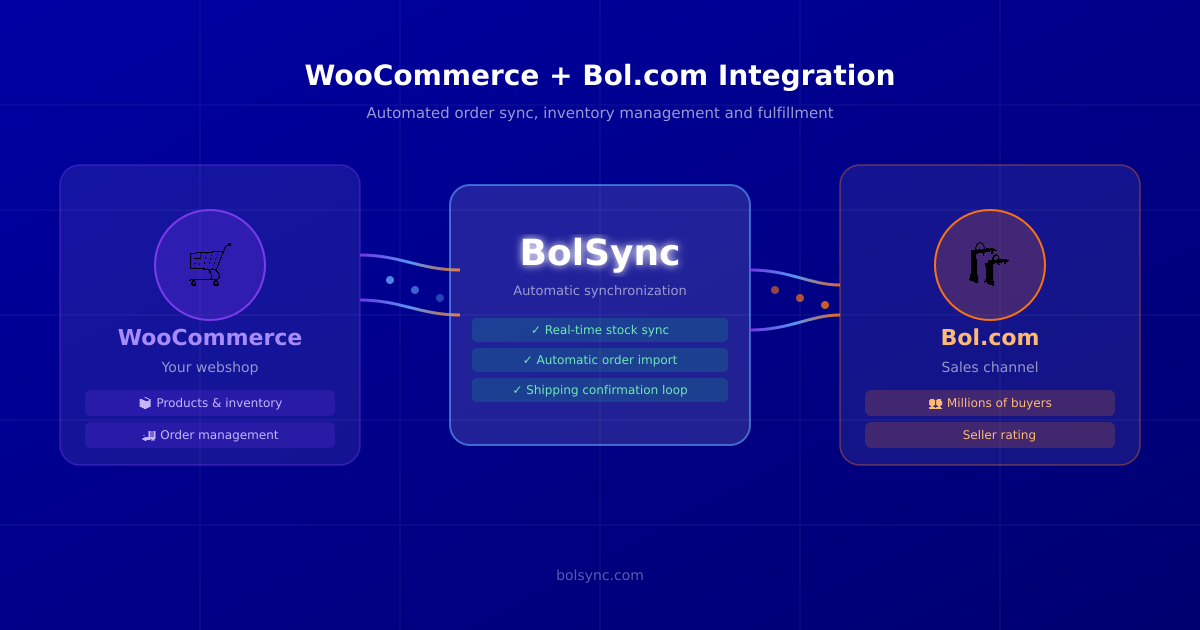
Schakel acts as the middleware between your WooCommerce store and your Bol.com seller account. Once connected, the sync runs automatically in the background:
Real-Time Inventory Sync
When a customer buys something from your WooCommerce shop, Schakel immediately updates your Bol.com stock. And vice versa. You set stock once: Schakel keeps it accurate across both channels.
This single feature eliminates overselling, which is one of the fastest ways to tank your Bol.com seller rating.
Automatic Order Import
Every Bol.com order lands automatically in WooCommerce. Your existing order workflow (picking, packing, shipping) doesn’t change. You just process everything in one place.
Shipping Confirmation Loop
After you mark an order as shipped in WooCommerce, Schakel pushes the tracking code back to Bol.com. Customers get their update, and Bol.com registers the shipment on time. No extra steps, no missed confirmations.
Setting Up the Integration
Getting started takes less than 30 minutes:
- Connect your Bol.com account: generate an API key in the Bol.com seller portal and paste it into Schakel.
- Install the Schakel plugin on your WooCommerce site, or use the REST API if you prefer a code-based setup.
- Map your products: Schakel matches your WooCommerce SKUs to your Bol.com EANs. One-time setup.
- Go live: enable the sync and let Schakel handle the rest.
Most sellers are fully operational within the same day.
Common Questions from WooCommerce Sellers
Does Schakel work with WooCommerce Subscriptions? Schakel focuses on standard product orders. For subscription billing, the order still shows up in WooCommerce as normal, so fulfillment works fine.
What about products I only sell on Bol.com? No problem. You can configure Schakel to sync only specific products or categories. Everything else stays untouched.
Can I use fulfillment via Bol.com (LVB) with WooCommerce? Yes. Schakel recognizes LVB orders and handles them separately from self-shipped orders. Your WooCommerce admin stays clean either way.
What if my stock levels are different on each platform? Schakel lets you set a buffer stock for Bol.com. For example, if you have 10 units in WooCommerce, Schakel can list 8 on Bol.com. This protects you from edge-case overselling during high-traffic moments.
Scaling Your WooCommerce Business with Bol.com
Once the sync is running, you get something valuable back: time. No more daily reconciliation between two dashboards. No more copying tracking codes. No more stock corrections on Monday morning.
That time is better spent on what actually grows your business: better product photos, smarter pricing, expanding your catalog. Schakel handles the plumbing so you can focus on the strategy.
If you’re also thinking about adding more channels like Amazon or your own B2B portal, the architecture you build now (WooCommerce as central hub, Schakel as the connector) scales cleanly to support that.
Ready to Connect?
If you’re running WooCommerce and selling on Bol.com, there’s no reason to do it manually. Schakel’s 30-day free trial takes minutes to set up and pays for itself the first week.
Start today and see what your business looks like when the admin runs itself.
Want to automate your bookkeeping as well? Read Automating WooCommerce accounting: which connection fits you?
Want this handled automatically? Pick your connector.
Back to the blog